
 Virutextools Blog
At VirutexTools, we know how crucial it is to keep your tools in top condition. That’s why we’ve built a simple and intuitive Spare Parts system that lets professionals and DIYers find, check, and order replacement parts directly from our website. In this guide, we’ll walk you through exactly how to use the Virutex Spare Parts page so you can maintain your machines without hassle.
Why Use the Spare Parts Tool?
Instead of contacting customer service or browsing through printed manuals, our online Spare Parts system gives you real-time access to machine diagrams, availability checks, and a seamless way to add parts to your final checkout. Whether you’re a service technician, workshop manager, or dedicated user, this tool was built to save you time and ensure accuracy when ordering replacements.
Option 1: Search by Machine Model
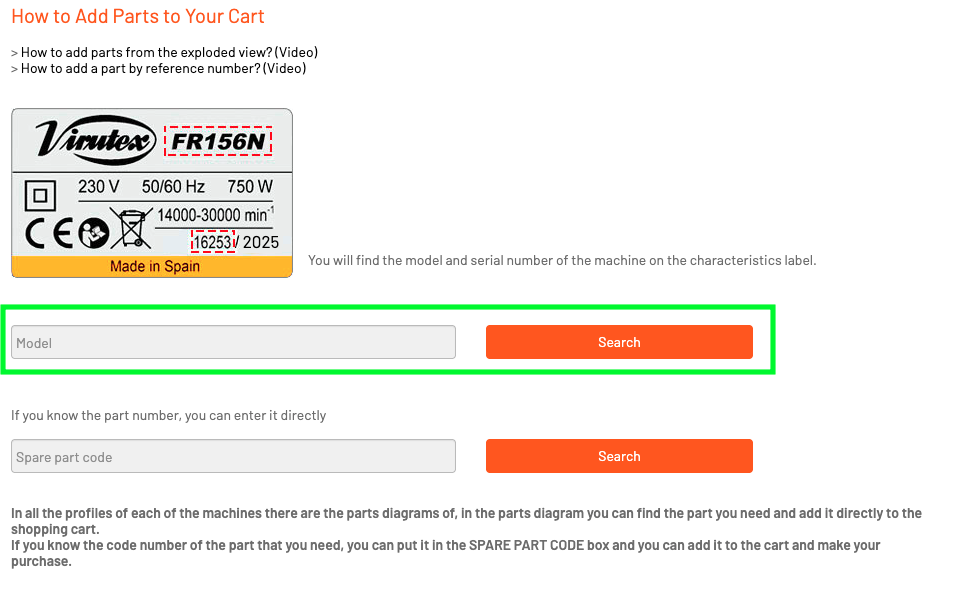
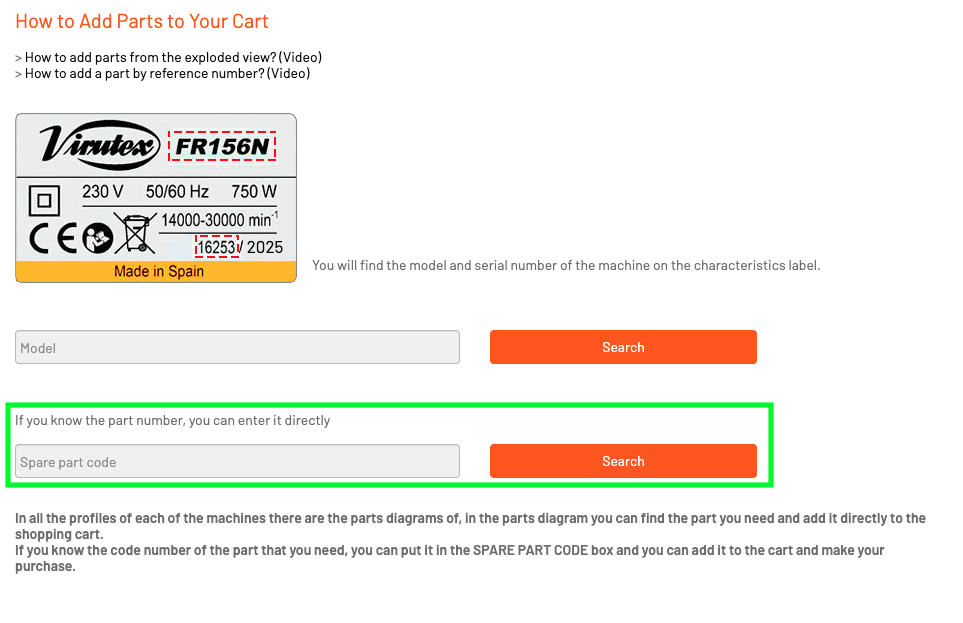
Step 1: Enter the Machine Model (See label on the machine)
Start by visiting the Spare Parts page. In the first search bar you’ll see at the top of the page, type in the exact model of your Virutex machine. Once you’ve entered the model, click “Search”.
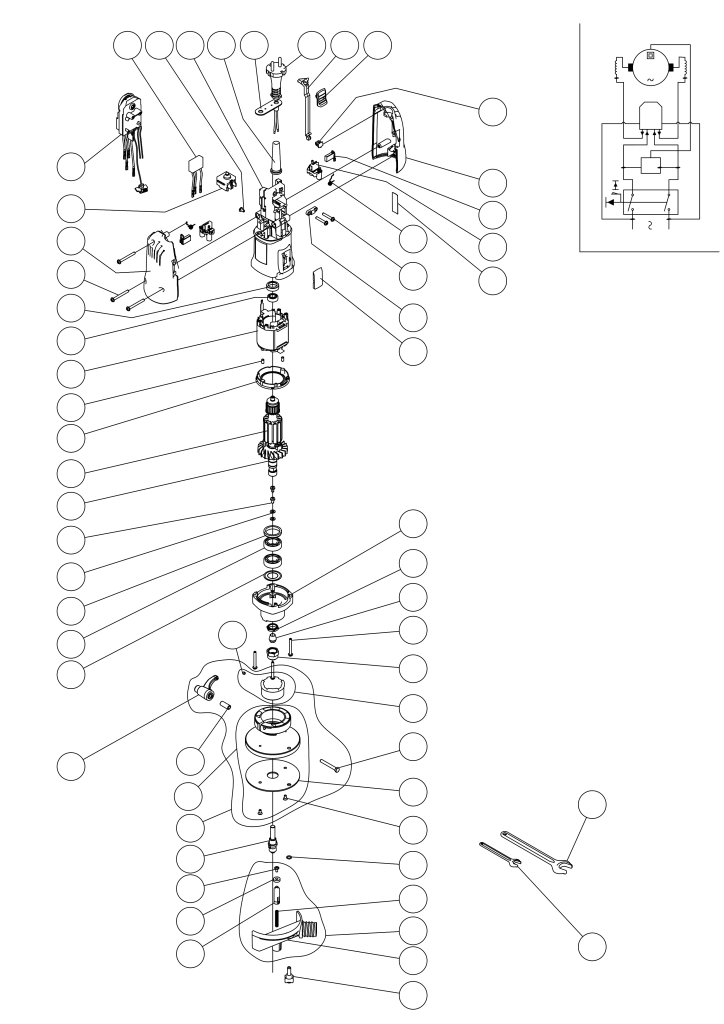
After clicking “Search,” you’ll see a detailed exploded diagram of your selected machine (Check the machine label for the serial number).
Step 2: Explore the Diagram and Part List
After clicking “Search,” you’ll see a detailed exploded diagram of your selected machine. This diagram displays all components visually so you can click on the specific parts you need. Beneath the diagram, there’s also a full list of part names and numbers if you prefer selecting from a menu.
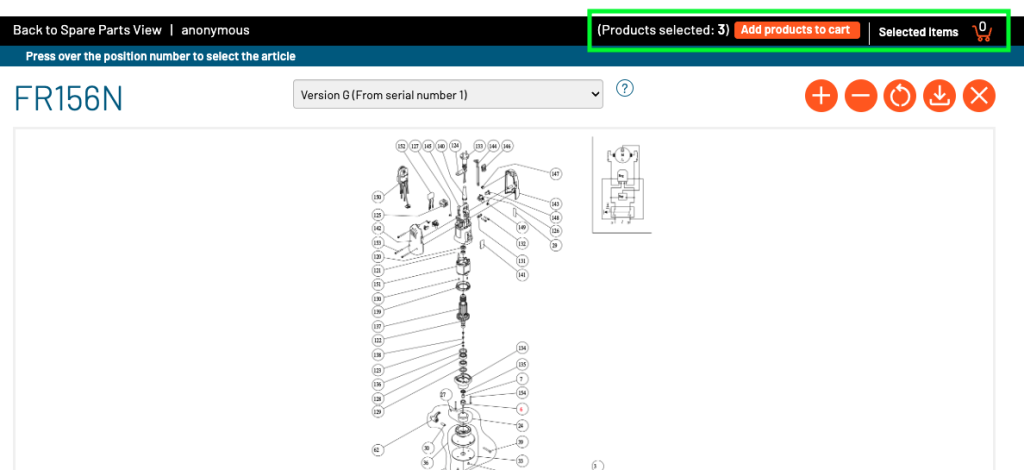
Step 3: Add to Spare Parts Cart
Once you’ve selected the parts you need—whether from the diagram or the list—click on “Add Products to Cart” at the top of the page. IMPORTANT: This adds them to your Spare Parts cart, which is separate from your final checkout cart.
Step 4: Check Availability
Now click on “Selected Items” to view the parts you’ve added. Inside this section, click the “Check Availability” button to make sure the items are currently in stock.
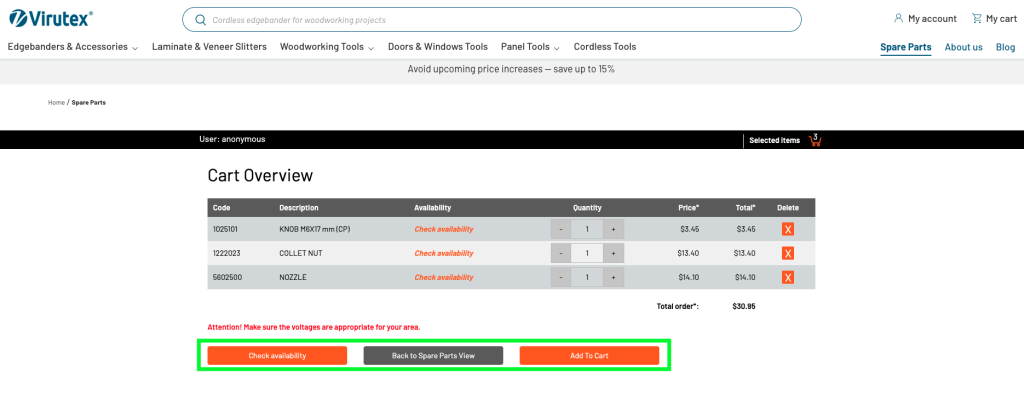
Step 5: Final Checkout
Once you’ve confirmed availability, click “Add to Cart” again—this time, it will move the selected parts into the main website cart, where you can proceed to payment and shipping.
Option 2: Search by Part Number
Step 1: Enter the Reference Number
If you already know the exact part number, scroll down to the second search bar on the same Spare Parts page. Enter the part number and click “Search”.
Step 2: Add the Part
A dropdown menu will appear with detailed product information. From here, click “Add to Cart” to add the part to your Spare Parts cart.
Step 3: Repeat the Final Steps
Once the part is in your Spare Parts cart, click on “Selected Items”, then “Check Availability”, and finally “Add to Cart” to move the item to the main checkout cart and complete your order.
Important Notes and Tips
- Spare Parts Cart ≠ Final Checkout Cart: The Spare Parts cart is only a temporary step. You must manually transfer the parts to your main cart for purchase.
- Use accurate model or part numbers: Small typos can prevent parts from loading. Always double-check your entries.
- Parts are updated in real time: Availability checks are dynamic, so you’ll always know if a part is in stock before ordering.
Why This System Works
Virutex’s Spare Parts interface was designed with the professional in mind. It combines intuitive visuals with detailed part identification and integrates seamlessly with our online store. This means less downtime for your tools, fewer ordering errors, and quicker turnarounds.
Whether you’re servicing a single machine or managing an entire workshop’s inventory, our Spare Parts solution helps you keep operations running smoothly.
FAQs
Yes. Once the parts are added to your main cart and the purchase is completed, you will receive a confirmation email with tracking information.
Ensure you’re entering the exact model name as labeled on the machine. If the issue persists, contact our support team for assistance.
Yes. Prices are shown once the parts are selected and added to the Spare Parts cart. You can review costs before transferring to final checkout.
The system does not currently offer a “wishlist” feature, but you can bookmark the Spare Parts page with your model already selected to make future orders faster.
No account is required to use the system or place an order, but creating one can help you manage order history and tracking more easily.
Conclusion
With just a few simple steps, you can identify, verify, and order the exact spare parts you need for your Virutex machines. Whether you’re searching by model or reference number, our system is designed to give you complete control and confidence throughout the process. Spend less time searching and more time building—with the right parts, right when you need them.
Try the Virutex Spare Parts system today and keep your equipment performing like new.


